

Latest Version
Microsoft Corporation
IT Tools
Linux
Free
com.visualstudio.code
Report a Problem
More About Visual Studio Code
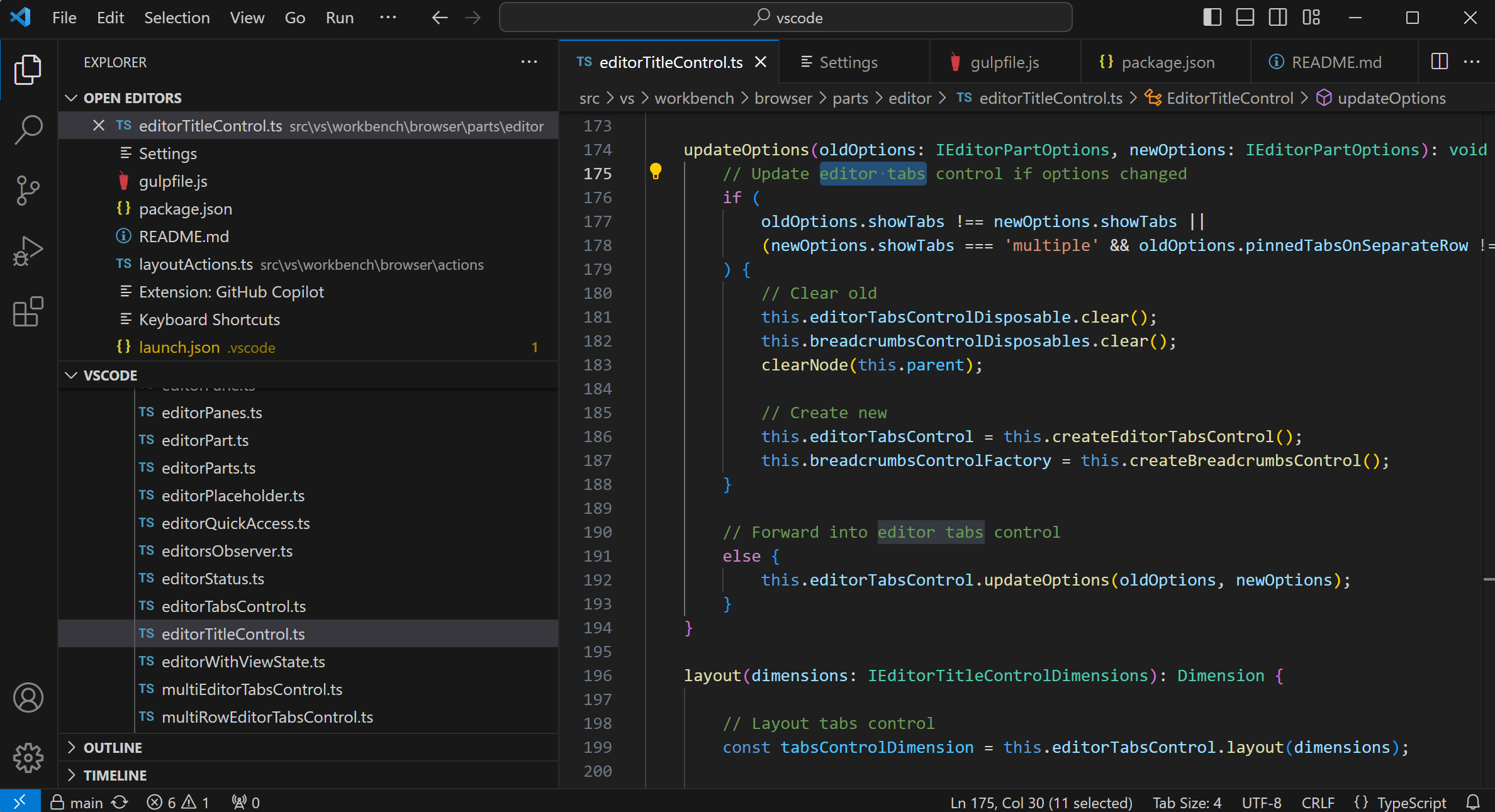
When you fire up the Visual Studio Code code editor on your Linux system, the first thing you notice is how remarkably fluid the interface feels. Developed by Microsoft Corporation, this application has bridged the gap between lightweight text editors and heavy integrated development environments (IDEs). It provides a highly responsive workspace that adapts to your specific programming language and workflow needs without bogging down your system resources.
The Power of the Visual Studio Code Code Editor
At its core, the Visual Studio Code code editor is designed to simplify the cycle of writing, building, and debugging software. Rather than forcing you to switch between multiple command-line utilities and window panes, it consolidates your essential developer tools into a single, cohesive interface. The application excels at syntax highlighting, smart code completion, and real-time error detection across dozens of programming languages.
Key Features for Linux Developers
- Integrated Debugging: Launch or attach to your running apps and debug with break points, call stacks, and an interactive console directly within the editor.
- Git Integration: Review diffs, stage files, and make commits without leaving your active workspace.
- Extensible Architecture: Customize your environment with a vast library of extensions that add new languages, themes, and debuggers.
Flatpak Deployment Considerations
For Linux users utilizing the Flatpak package of this application, there are a few platform-specific nuances to keep in mind. This specific distribution is a repackaging of the proprietary Microsoft build. Because Flatpaks run in a sandboxed environment, accessing certain system-level features—such as the integrated terminal or local compilers—requires configuring specific permissions. Consulting the official documentation for this flatpacked version will ensure you configure these integrations correctly for your development pipeline.
Who Is This Editor For?
Whether you are a web developer writing JavaScript, a systems engineer scripting in Python, or a software developer building complex backend systems, this utility scales to meet your demands. It is particularly well-suited for developers who want a fast startup time but still require robust tools like Git management and interactive debugging at their fingertips.
Get Started with Visual Studio Code
If you are looking to redefine how you write and debug code on your Linux machine, this tool is an exceptional choice. To explore this software further and install it on your system, visit the official Flathub store page today.
Rate the App
User Reviews

Popular Apps










Editor's Choice